Due to the IFSC incorrect on bank account you bound. please
submit on IFSC modification in self-service customer service
center for modify your IFSC bank code to the correct
one!
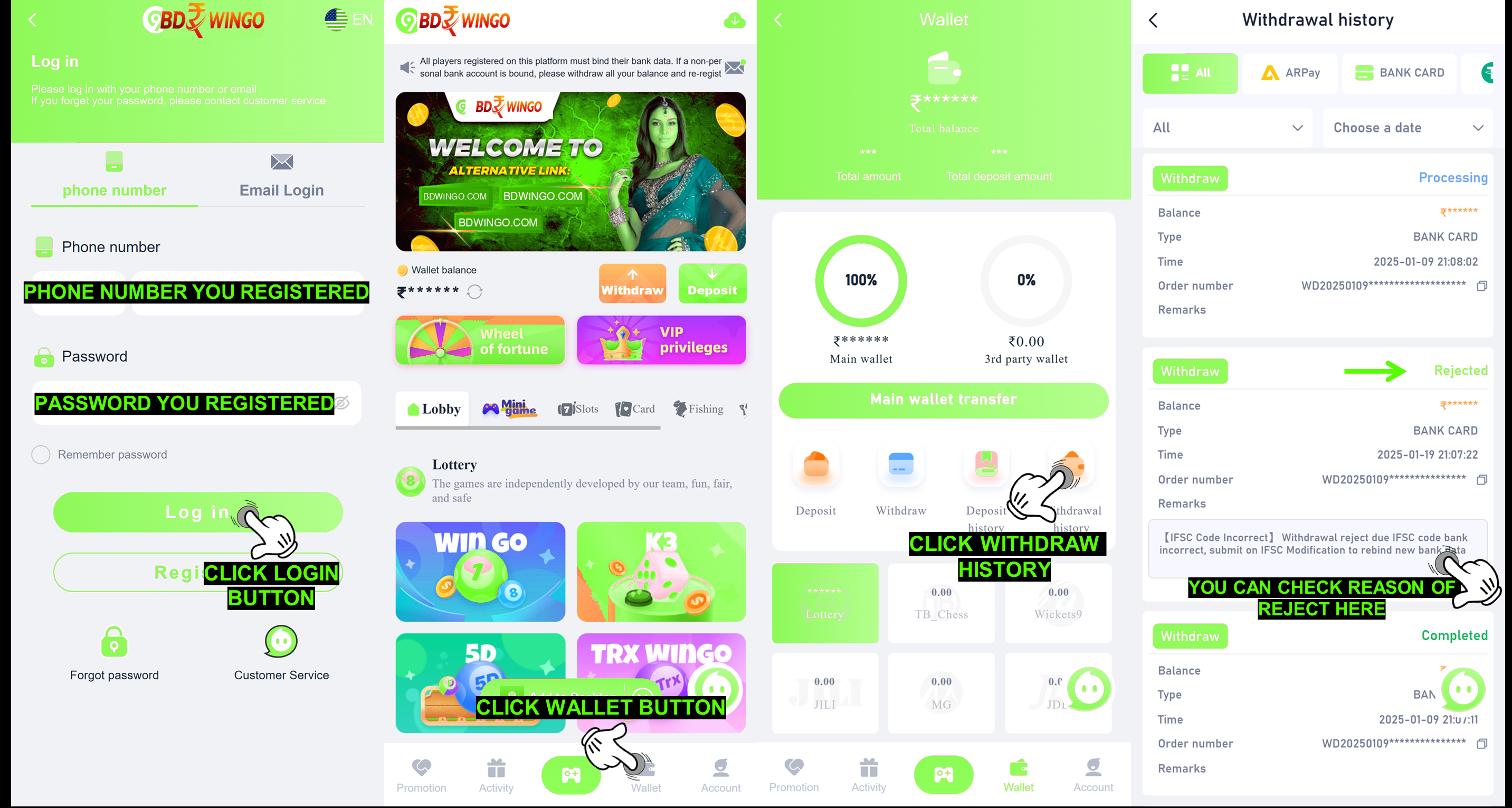
Q: Why my withdraw rejected with remark IFSC Code
incorrect?
A: This rejection is due to incorrect IFSC code bank you bound
on BDWINGO account for withdraw, for withdrawal we need you to
bind all data correctly including the IFSC code, sometimes there
are banks that have IFSC codes with the letter O and the number
0 which are similar so that you are confused with the IFSC you
are going to use.
Q: What will happen to my bound bank information if i submit
IFSC Modification on self-service center BDWINGO?
A: Our system will make a checking and verification to the
information that you provide and If all the information is
correct. Our system will modify the correct IFSC bank code in
your ID account
Q: How i can submit issue about IFSC Modification on
self-service center BDWINGO?
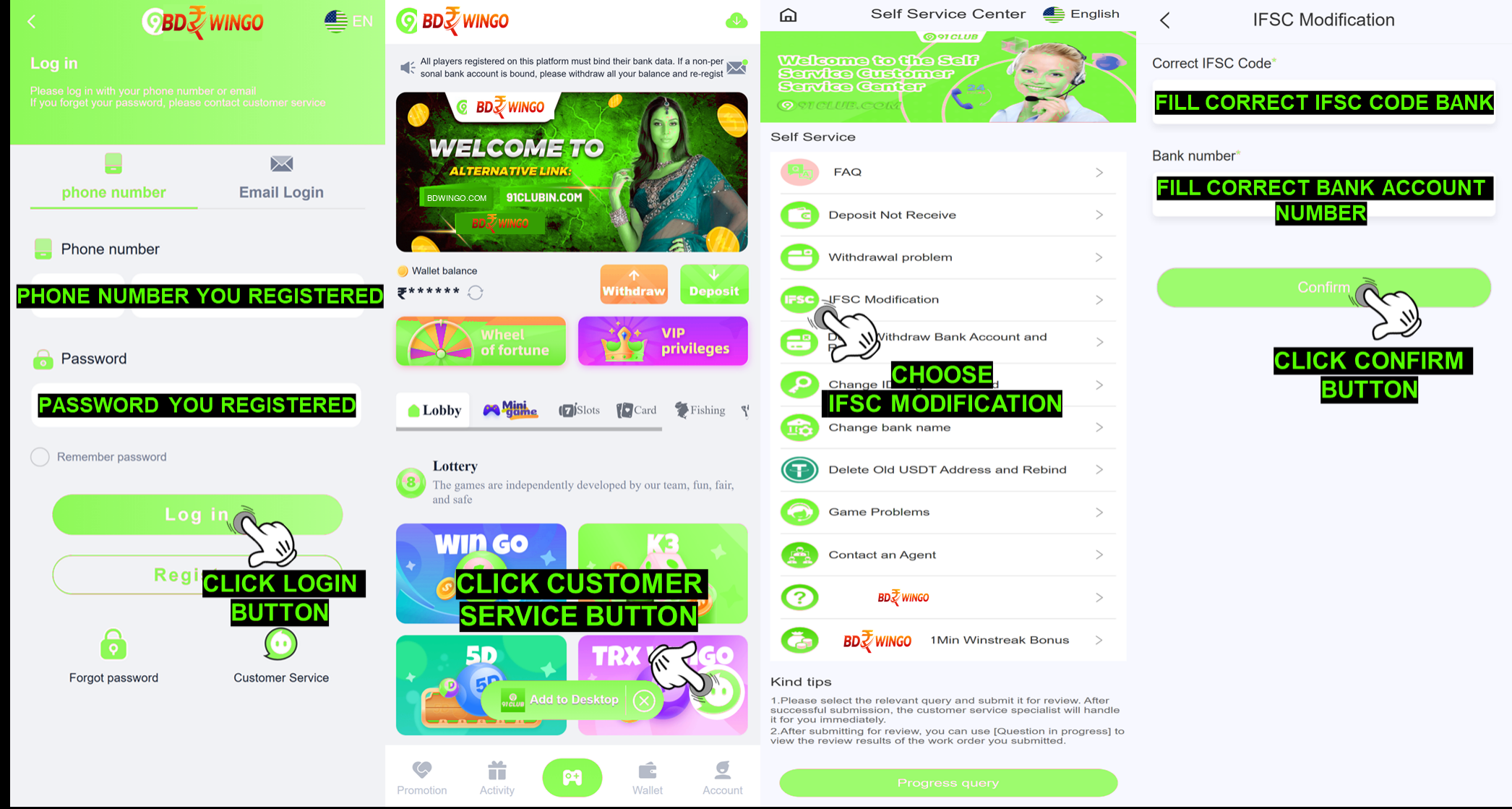
A: What you need to do now is submit it on self-service center
BDWINGO and follow this guide to submit it :
1. Login into your ID Account at :https://BDWINGO-in.com/
2. Press Customer Service Icon
3. Select “IFSC Modification”
4. Fill correct IFSC bank code that you willing to change
5. Fill correct bank account number that you binded in your ID
account
6. Press “Confirm”
|
|
|